Scores can't be edited directly in Codon. Your LMS gradebook is the final source of truth for grades. Since every instructor already keeps an LMS gradebook, and LMS grading tools are robust, we've put our effort into what only Codon can do, like building better study habits and helping you align your course. We know this makes some score changes less convenient, so here are two ways to handle them.
Option 1: Give the student more time (due date accommodation)
Best when: You want the student to complete the work and earn the points themselves.
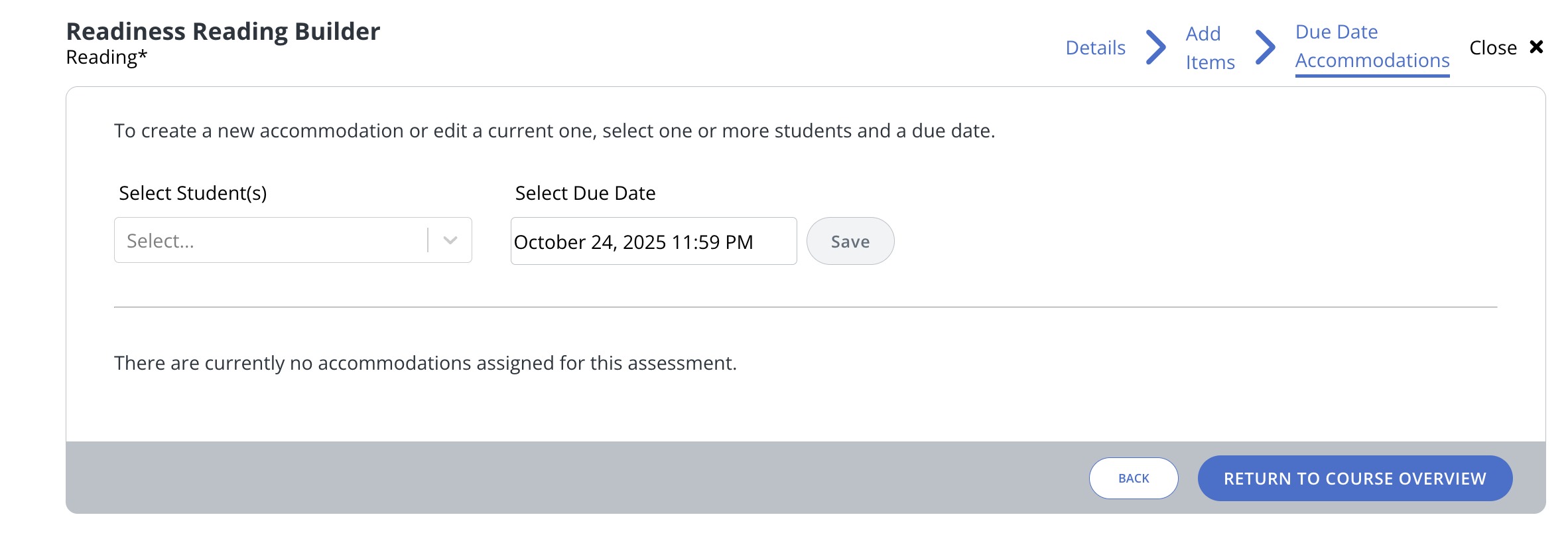
- Open the assignment and navigate to the Due Date Accommodations tab in the top right (right next to the Close button).
- Select the student from the dropdown. You can type part of their name to find them faster.
- Set the new due date.
The assignment moves to the new date on the student's calendar, and they can earn full credit until then.
Option 2: Adjust the score in your LMS
Best when: you need to change a score directly or mark a student as excused/exempt.
Wait until every score for the assignment is final. That means the late date and any individual due date accommodations have all passed. Then:
- Sync scores from Codon one last time.
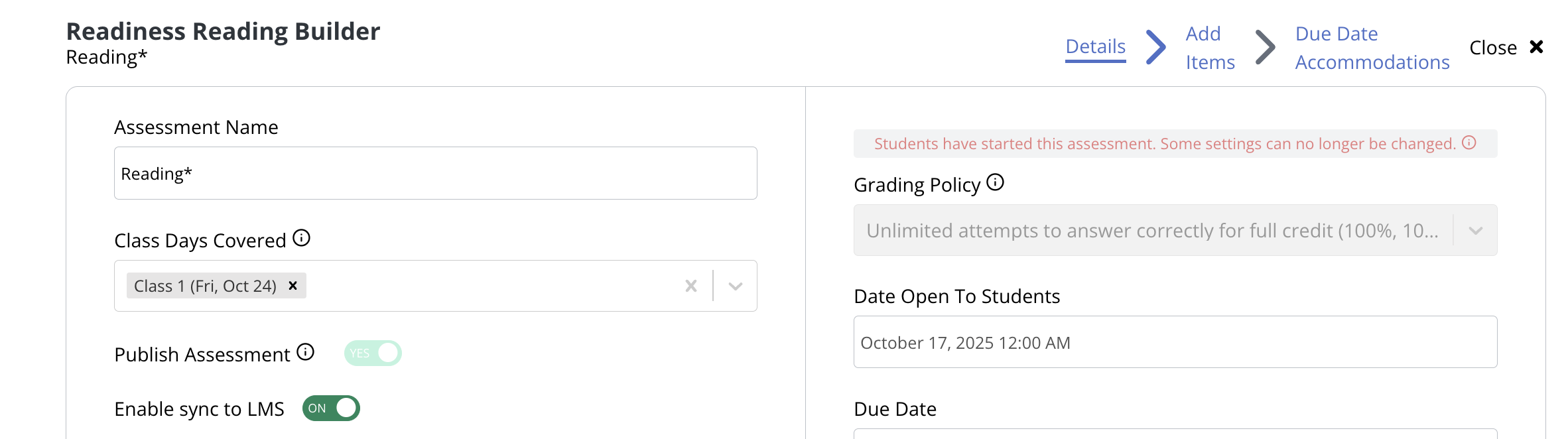
- Open the assignment in Codon and turn off LMS Sync.
- Adjust the student's score (or mark them excused/exempt) in your LMS.
What turning off LMS Sync does: It stops future syncs from Codon, so a later sync won't overwrite your manual change. It does not remove the assignment from your LMS. LMSs don't allow assignments with grades to be deleted.
Was this article helpful?
That’s Great!
Thank you for your feedback
Sorry! We couldn't be helpful
Thank you for your feedback
Feedback sent
We appreciate your effort and will try to fix the article