How to study by revisiting past questions and assignments

Created by Ashley Rowland, Modified on Thu, 5 Mar at 9:39 AM by Erin Vinson

Revisiting questions is a great and effective way to study for exams! There are two ways to revisit questions from past assignments in the Codon platform:

  1. Retry questions using the Codon Learning Study Path.
  2. View questions in assignments in 'read-only' mode.


Details on how to use each method are below.


1. Retry questions using the Codon Learning Study Path


Use the Codon Learning Study Path to retry ANY question from the course. In the Study Path, questions are grouped by Topic and Learning Objective. You can identify the assignment each question was assigned by hovering over the question.
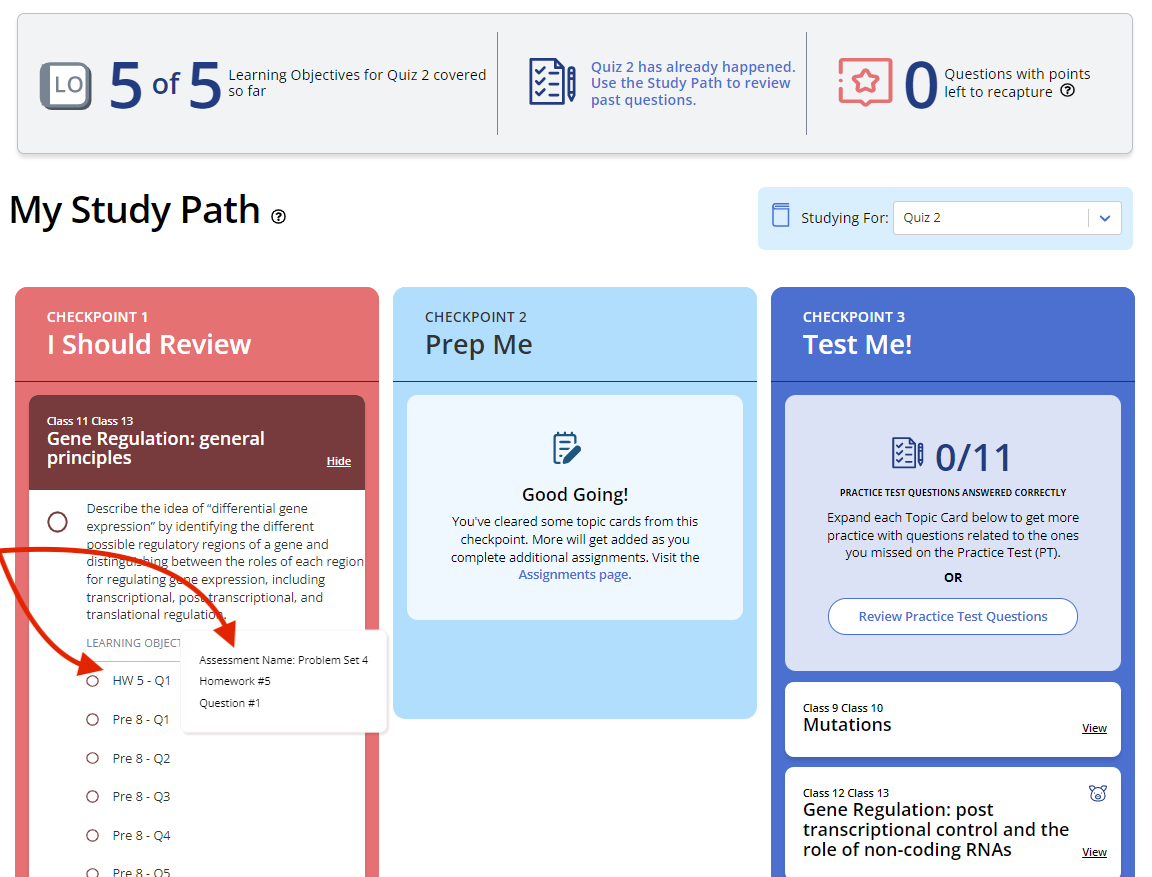
The Codon Learning Study Path. Three checkpoints are shown: Checkpoint 1 titled "I Should Review," Checkpoint 2 titled "Prep Me," and Checkpoint 3 titled "Test Me!" The first checkpoint is expanded to show a list of questions. An arrow points to a tooltip on one question showing its source assignment details.


You can view questions in past Study Paths using the "Studying For:" drop down menu.
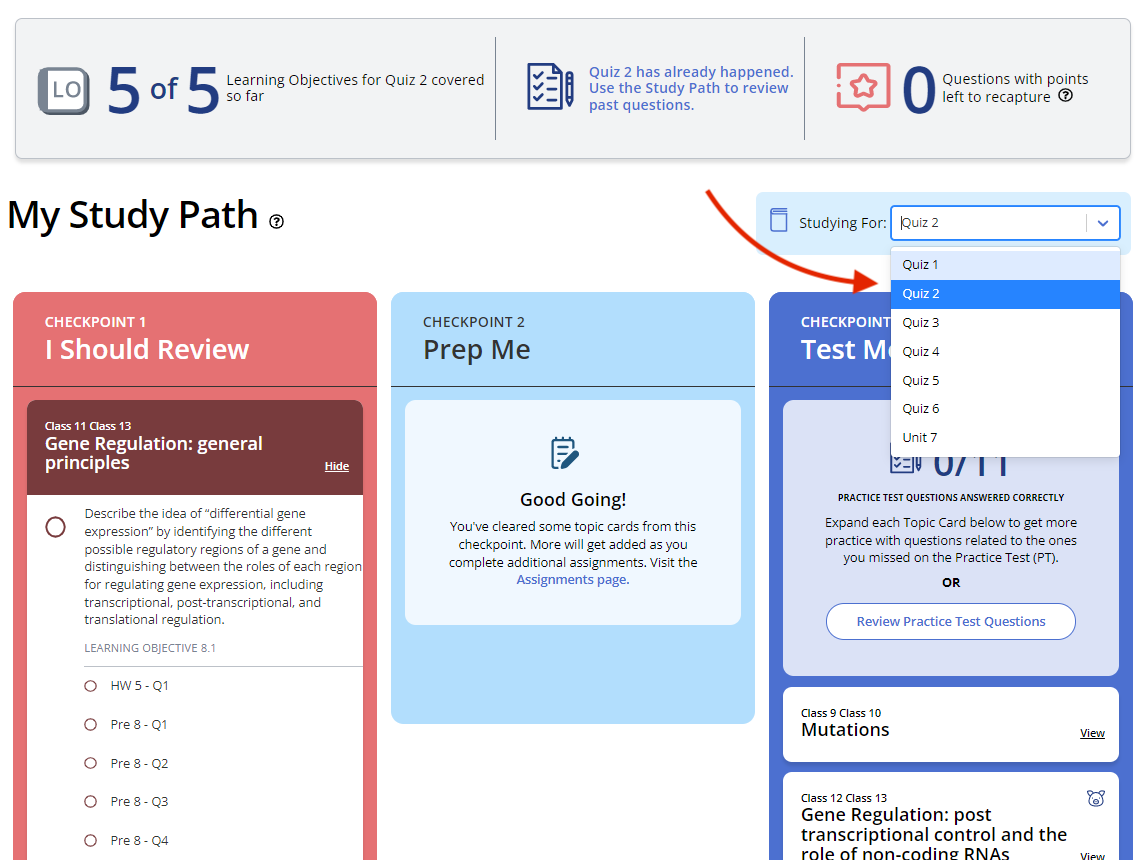
The Codon Learning Study Path. Three checkpoints are shown: Checkpoint 1 titled "I Should Review," Checkpoint 2 titled "Prep Me," and Checkpoint 3 titled "Test Me!" Above Checkpoint 3 is a box that says “Studying For:” followed by a dropdown menu that, when opened, lists all previous Study Paths. Students can use this to choose a past Study Path to review.


This is a great way to try questions again fresh, without seeing your previous answers!


2. View questions in assignments in 'read-only' mode.


Go to the Assignments page, click on any assignment.
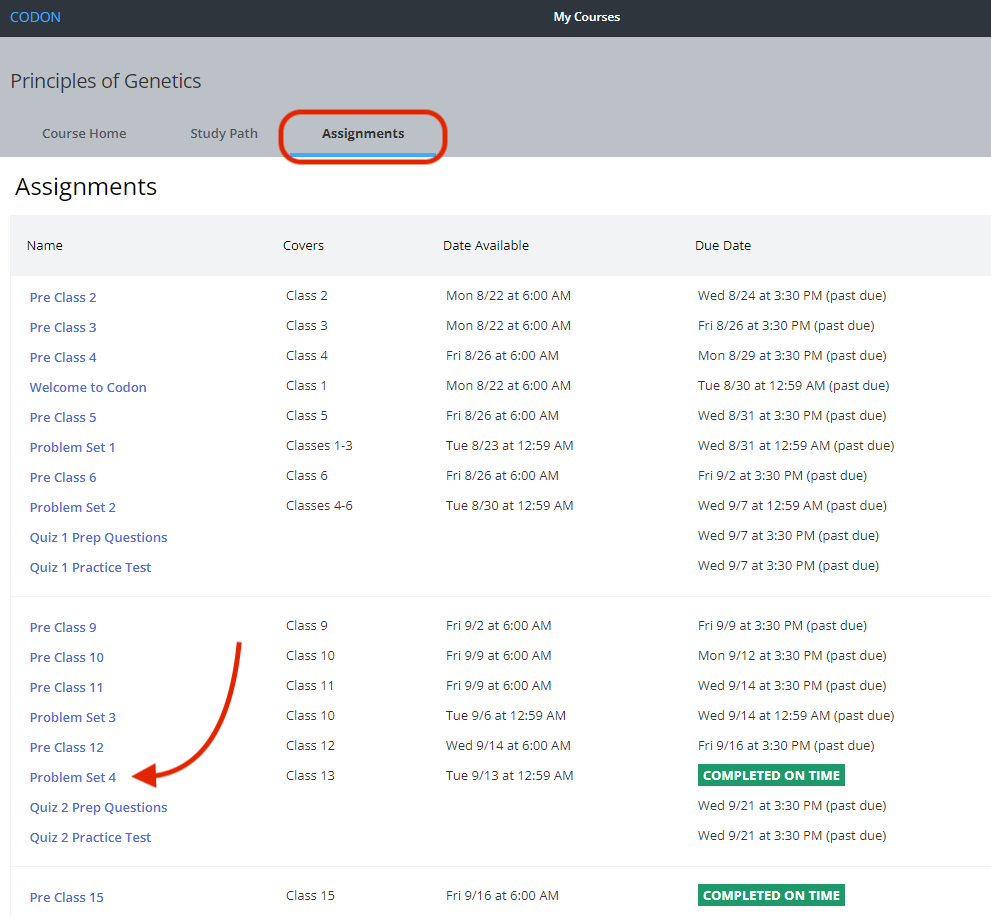
Screenshot of a sample Assignments page shows all of the assignments. An arrow points to an assignment, Problem Set 4.


Completed or past due assignments can be viewed in 'read-only' mode. Past answers are displayed. It is not possible to attempt questions in the past assignment. Retrying questions can only occur in the Study Path (see above).
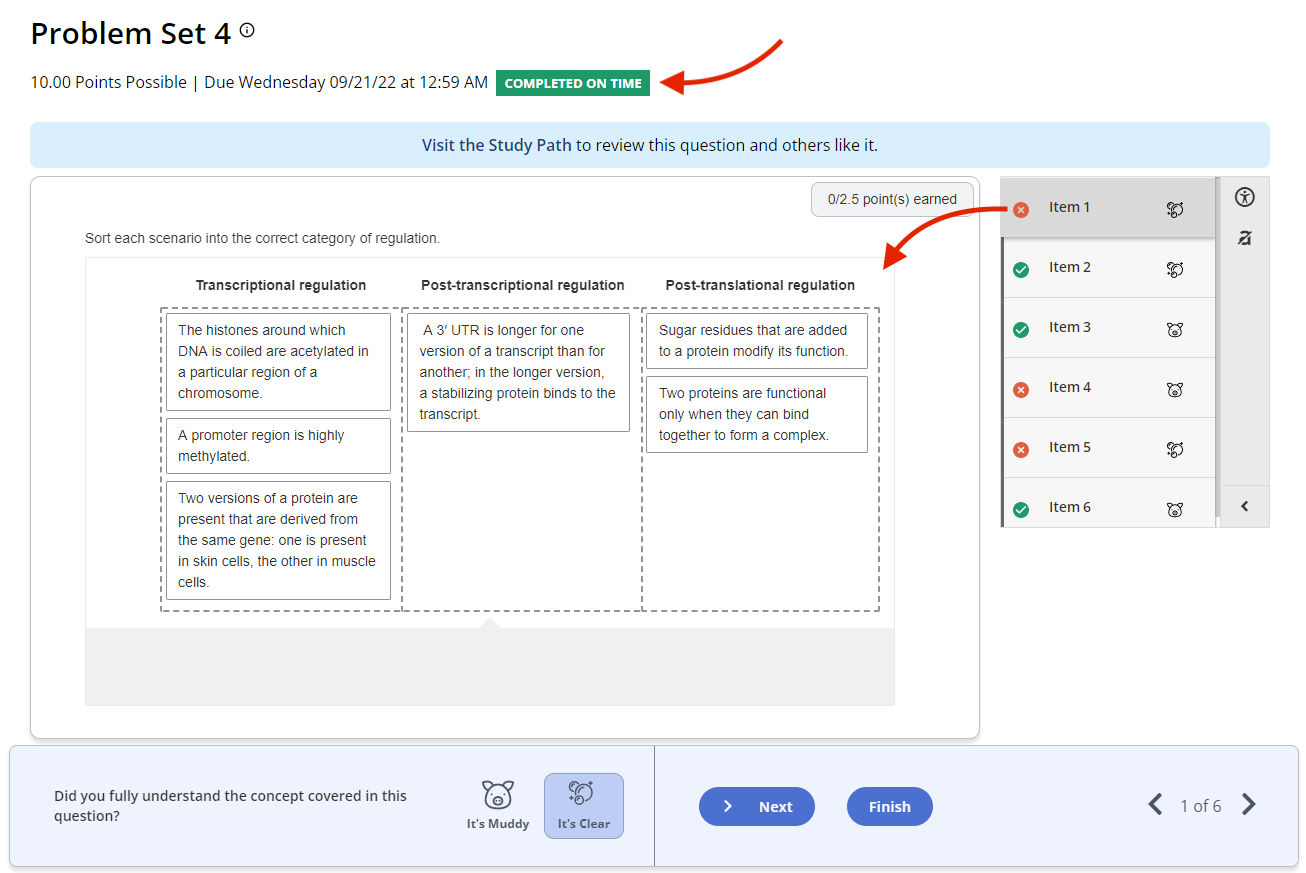

Screenshot of the first question in the assignment Problem Set 34 showing that the assignment was completed on time. Every question in the assignment has either an “X” or a checkmark to show they have been completed. Questions with an “X” were answered incorrectly. Questions with a checkmark were answered correctly.


Was this article helpful?

That’s Great!

Thank you for your feedback

Sorry! We couldn't be helpful

Thank you for your feedback

Let us know how can we improve this article!

Select at least one of the reasons

Feedback sent

We appreciate your effort and will try to fix the article